Posts

Showing posts with the label Barcode AddIn

New Beta: Office Add-In with Swiss QR Code

Image
TEC-IT's comprehensive  barcode add-in for easy bar-code creation in Microsoft® Word and Excel®  reaches the next level. The new BETA for version 11 of this helpful tool introduces support for  Swiss QR-Code  2.0 and other barcode technologies like DotCode or Royal Mail postal barcodes. Additional performance and user interface improvements complete the new release. What's New? Swiss QR Code 2.0 V11 supports Swiss QR Code 2.0 based on Swiss Payment Standards 2019. New 2D Barcodes DotCode Rev. 4.0, Han Xin Code, Data Matrix DRME, PPN Code and NTIN Code New Postal Codes Royal Mail Mailmark® 2D, Royal Mail 4-State Mailmark™ and USPS Intelligent Mail Package Simplified User Interface The already intuitive user interface has been further improved. The advanced barcode settings are now accessible more easily. Improved Stability The serial letter function has been revised to improve performance. Upward Compatibility Barcodes created as EMF image with the previous ...
Update: Barcode Add-In with Font Selection for Office x64

Image
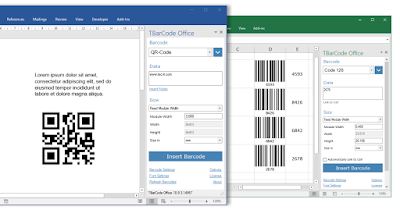
TBarCode Office , TEC-IT's powerful  barcode add-in for easy bar-code creation in Microsoft ®  Word and Excel ® , was recently updated with the following enhancements: Font Dialog Microsoft Office x64 editions do not include a standard font dialog in the properties' dialog. As a workaround, an extra font dialog for x64 versions was added to the TBarCode panel. EMF Conversion The handling of conversion errors in the Excel Add-In was improved. Protected Excel Sheets Updating barcodes in protected Excel sheets is now possible. For further improvements and fixes, please see  TBarCode Office Version History . For a free trial, download TBarCode Office V10.9.3  today. Updates are free for users of the same major version and for owners of an active maintenance agreement. In case of questions, please  contact us .

Scan-IT to Office – A New Way to Capture Data with a Smartphone

Image
Scan-IT to Office is a cloud-based data collection solution for Android and iOS.  This service enables everyone to capture data at the touch of a button - the solution connects the user’s smartphone directly with documents or spreadsheets. A mobile app forwards captured data immediately via smart cloud services into the desired destinations. This works anytime and anywhere, regardless of the device's location – if required across different offices, facilities or even countries. " Our main design goals were simplicity and reliability: data acquisition should be as easy as taking a picture with a smartphone. I am convinced our developers achieved these goals by creating a solution that combines state-of-the-art app design with globally available cloud services " - points out TEC-IT's CEO Guenter Kriegl. Due to the ease of use, the app is often utilized for stocktaking, inventory management and general track and trace tasks. Users especially appreciate the foll...

Scan-IT to Office: New App Scans Barcodes Directly Into Microsoft Office

Image
Use your smartphone to scan barcodes directly into Microsoft Word and Excel documents. Smart cloud services transfer the data immediately to a document of your choice.  This works globally and regardless of your location, single and multiple user scenarios are supported. Video is coming soon. Contact us  for further information or v isit our website !

Free 10 Day Trial for TEC-IT's Barcode Add-In for MS Office

Image
TEC-IT will shortly release the new version 10.3.3 of the barcode add-in TBarCode Office . Free Eval for Office Barcode Add-In The new release offers only a single - but very useful - highlight. Users interested in testing the product may now apply for a free and unlimited 10 day trial license . The evaluation license can be retrieved online and unlocks all product features. TEC-IT does not collect any personal data and does not ask questions. A single click is enough to apply for an evaluation license. About TBarCode Office 10 Day Unlimited Evaluation The barcode add-in TBarCode Office is intended solely for users of Microsoft Word and Microsoft Excel (Microsoft Office 2007 or higher). It enables customers to quickly insert barcodes into any Word or Excel document. The barcode add-in integrates seamlessly into Microsoft Office and is extremely easy-to-use . A convenient barcode panel provides access to all bar code parameters - linear, GS1 or 2D barcodes...

Barcode Printing for Microsoft Word and Excel? Solved!

Image
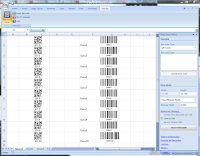
A few weeks ago TEC-IT ( http://www.tec-it.com ) released the first version of the barcode add-in TBarCode Office . This initial release enabled Microsoft Word users to create and print more than 100 different bar code symbologies in documents and serial letters. Update: The update of TBarCode Office now supports Microsoft Excel in addition. Using barcodes with spreadsheets is just a matter of seconds, users benefit from the tightly integrated, convenient barcode task-pane. Highlights: Seamless Excel and Word integration Unmatched barcode support Serial letters and mailings Single and multiple barcodes For Office 2007 and 2010 Supports both 32- and 64 bit Microsoft Windows / Microsoft Office TBarCode Office is the most advanced barcode add-in availabl e on the market: it is very simple to use and provides all bar-code tuning options for professional applications! Pre-Release Download:  Final version as of 06/15/2010:  Barcode Office Add-In TBarCode Office F...

Using Word 2007 Barcode Add-In on Windows XP

Image
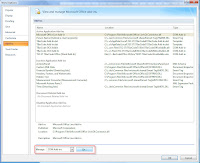
Consider this tip if the barcode add-in TBarCode Office fails on Windows XP and Word 2007. Most likely you need to install the Primary Interop Assemblies (PIA) manually. These assemblies can be downloaded as an extra package from Microsoft: Primary Interop Assemblies Install PIA, then start Microsoft Word 2007 and open the Word Options. Switch to "Add-Ins", select "Manage: COM Add-ins" and click on "Go...". In the "COM Add-ins" dialog mark "TEC-IT TBarCode Office (Word Add-In)" and confirm the dialog with OK. After restarting MS Word the Add-Ins tab will appear and the TBarCode Office Add-In will be available.

NEW PRODUCT: Barcode Add-In for Word 2007/2010

Image
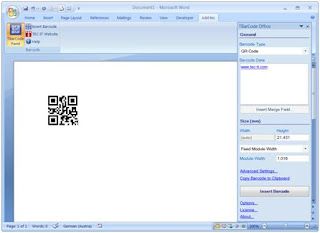
Good News for Microsoft Word Users! TEC-IT ( http://www.tec-it.com ) announces its brand new bar-code add-in for Microsoft Word . Using bar-codes in Word documents, serial letters and mail merges was never easier! After TBarCode Office was installed, a new task pane is available in Microsoft Word. In this task-pane you simply select the required barcode symbology (all barcodes are supported by this add-in: linear barcodes, 2D codes, GS1 DataBar codes, postal codes), enter the data to be encoded (or assign the mail merge fields) and click "Insert Barcode". That's all! The basic barcode  options can be adjusted in the barcode pane directly. More advanced options like bar width reduction, font colors, human readable text, international code page setting, etc. are also adjustable. Just check out  the tutorial video to get an impression. TBarCode Office is very simple to use AND provides all bar-code tuning options for advanced applications. This combinat...