Posts

New: Barcode Studio Creates Mobile Tagging QR-Codes with Shortened URLs
Image
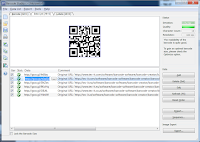
Data List with Shortened URLs Version 12 of TEC-IT's barcode maker software will be released shortly. This post introduces the built-in URL shortener capabilities of the Barcode Studio update. The new URL shortening feature provides 3 main benefits: Dramatically Reduced QR-Code Size URL shortening means squeezing a long URL into a shorter one. This is important when creating mobile tagging QR-Codes for vCards, meCards, SPARQcodes, etc. With URL shortening you reduce the amount of data to be encoded. Smaller, better readable, easier-to-share QR-Codes are the result. Free QR-Code Traceability URL shortening providers like Google ( https://goo.gl ) and Bitly ( https://bit.ly ) offer simple and free tracking features. More on this below. Data Import Assistant Batch URL Shortening The data import assistant of Barcode Studio is able to shorten thousands of URLs with a single click. Shortened URLs You are not familiar with shortened URLs? Let me give you a...

Update! Barcode Maker Software for QR-Code vCards and More

Image
vCard Data Import Check out this post to learn more about the new features of Barcode Studio V11.6. With Barcode Studio you quickly create high-quality bar code images for pre-press requirements and desktop publishing applications. More than 100 different linear and 2D codes are supported by this software! The new release focuses on bar-code creation for mobile tagging with vCard and meCard QR codes and provides enhanced label printing features . Features and Enhancements in Detail QR-Code vCard Assistant Mobile Tagging 2D codes for mobile tagging are now using the lowest possible error correction level. This minimizes the size of the generated barcodes. Intelligent Data Import It is possible to import predefined data formats for vCard, vCalendar, meCard, etc. in a structured way. This is especially helpful for mass-creation of business card bar-codes. Copy Counter for Label Printing The user can specify how many identical copies of a single label should be printed....

NEW: Use Android for Data Acquisition with PCs or MACs

Image
New Version! As of today the new version of GetBlue , an Android app for automated data aquisition , is available. GetBlue collects device data in the background and forwards captured data to adjustable destinations. The following devices and interfaces are supported in V2.8: Bluetooth SPP (server and client mode), TCP/IP sockets (server and client mode), HTTP , 3rd party camera scanners like the app Barcode Scanner from ZXing Captured device data can be displayed, saved, uploaded or forwarded to adjustable target devices or target applications (PCs with Microsoft Windows, MAC computers, Google Docs spreadsheets, other Bluetooth devices, web applications, ...), files on the SD card, or injected into 3rd party applications (software wedge mode). Highlights of the new Version: Bluetooth server support Previous GetBlue versions worked exclusively in Bluetooth client mode. Client mode is required to connect to other Bluetooth servers like a Bluetooth barcode scanner. The n...

Create Popular QR Codes for Mobile Tagging and vCard Business Cards

Image
Latest TEC-IT Press Release Austria, TEC-IT Datenverarbeitung GmbH ( tec-it.com ), leading vendor of AUTO-ID and bar code software presents a brand new feature for the popular barcode maker software Barcode Studio. “QR codes are becoming more and more popular. Especially the increasing need in marketing and mobile tagging is causing a rise in demand for 2D barcodes. In light of this development TEC-IT is responding with its new version of Barcode Studio.” (Guenter Kriegl, CEO of TEC-IT ) Mobile Tagging, vCard Business Cards and More QR-Code vCard Creating 2D bar-codes for electronic business cards with vCard and meCard formats is simplified dramatically: The brand new assistant leads you through the data input with a multifunctional dialog box, the user just enters the contact details and the assistant takes care of generating the 2D barcode with the correct data formatting. No special knowledge is needed. What’s more, mobile tagging barcodes for events, Android Mar...

"Tag it Easy" - vCard and MeCard QR-Codes!

Image
A new version of the barcode creator software Barcode Studio is on the way! What’s New? Barcode Studio V11.5 introduces a new data input assistant . This special feature simplifies the creation of 2D codes for mobile tagging and electronic business cards (so-called vCard and meCard barcodes) dramatically. With Barcode Studio V11.5 you are able to create more than 100 different linear, postal, GS1 and 2D barcode symbologies. The barcodes can be printed on simple labels or exported as bitmap or vector image files. Batch barcode creation with external data is supported. 2D Codes for Mobile Tagging vCard Data Input Assistant vCard and meCard QR-codes are used to encode contact details of a business card (like name, address, email, phone-number ...) in a 2D barcode symbol. When scanning such a barcode with a smartphone (camera and suitable scanner software is required of course), the data is automatically entered into the address book of the phone. No manual typing or copy/paste i...

How to use Microvision ROV Barcode Scanners with Android - Update!

Image
Bluetooth Data Acquisition on Android Currently TEC-IT offers two Android apps for data acquisition with Bluetooth devices: GetBlue provides universal data acquisition and device communication with Bluetooth SPP, TCP and camera scanners. GetBlue communicates with serial Bluetooth devices (Serial Port Profile like SPP/RFCOMM barcode readers), TCP/IP devices and camera scanners. Captured data is displayed, saved (File, Google Docs), forwarded (HTTP, TCP) or injected as virtual keystrokes into Apps (GetBlue virtual keyboard). BluePiano extends all Apps with automated Bluetooth data acquisition. This new input method provides a Bluetooth-enabled soft-keyboard . This virtual keyboard captures data from Bluetooth SPP devices (serial port profile) and forwards the received data to input fields of arbitrary apps. Microvision ROV Bluetooth Scanners Problem: Some users are experiencing the following issue: once a bar code is scanned with the Microvision ROV barcode scanner the bar code ...

One-Click Label Printing - 100% Online

Image
What is TFORMer Online? TFORMer Online is a completely web-based label printing system. Standard industry labels (e.g. VDA, AIAG, GTL, GS1, Odette, Caterpillar Shipping Labels, ... ) are generated as high quality PDF-files which can be printed immediately . Variable label data (like descriptions, SSCC, EAN codes, article numbers, etc) is either entered manually directly with the browser or provided via Google Docs spreadsheets. Available Label Printing Services TFORMer Online supports three methods for online label printing . Regardless of the method used, you need to validate your email-address. You will receive a confirmation email which contains a passkey. Single Label Printing This variant is the ideal solution for low-volume, ad-hoc label printing . Just enter the label data and generate the corresponding PDF. One-Click Label Printing A single click prints multiple labels with data stored in a Google docs spreadsheet (batch printing). One-click label printing...